How to Set Up ChatGPT and Codex
How to Set Up ChatGPT and Codex
A common version of this looks like a business owner hearing that AI can build websites and apps, opening ChatGPT, typing one sentence, and expecting a finished product to appear. What they usually get is a decent draft, then confusion about where the files went and how to change them safely.
A one-sentence prompt is not a project brief. It is a wish with a blinking cursor.
That is the split that matters. ChatGPT is the part you talk to. Codex is the part that works with project files.
The solution
Start with ChatGPT at chatgpt.com. Create an account, sign in, and use it to plan what you want before you try to build anything.
Ask for practical things first:
- the pages or screens you need
- the exact features
- the text you want on the page
- the questions the AI still needs answered
This saves a lot of wasted time. Most bad AI builds are not caused by bad AI. They are caused by vague instructions.
Once the plan is clear, move to Codex. Codex is OpenAI's coding tool. It can read and change project files, run commands, and work with a GitHub repository. For most beginners, the simplest path is to use Codex on the web and connect it to GitHub when prompted.
If GitHub is new too, read How to Set Up GitHub first. Codex works much better when your files live in one proper project folder online instead of being scattered across your desktop.
Here is the beginner-friendly order:
- Set up ChatGPT and write a simple project outline.
- Put your project in GitHub.
- Open Codex from ChatGPT on desktop, or use another Codex surface if your plan includes it.
- Connect your GitHub account if asked.
- Give Codex one small task first, like "make the home page cleaner" or "add a contact form."
Do not start with "build my whole business app." Start small. Make one page. Test it. Then keep going.
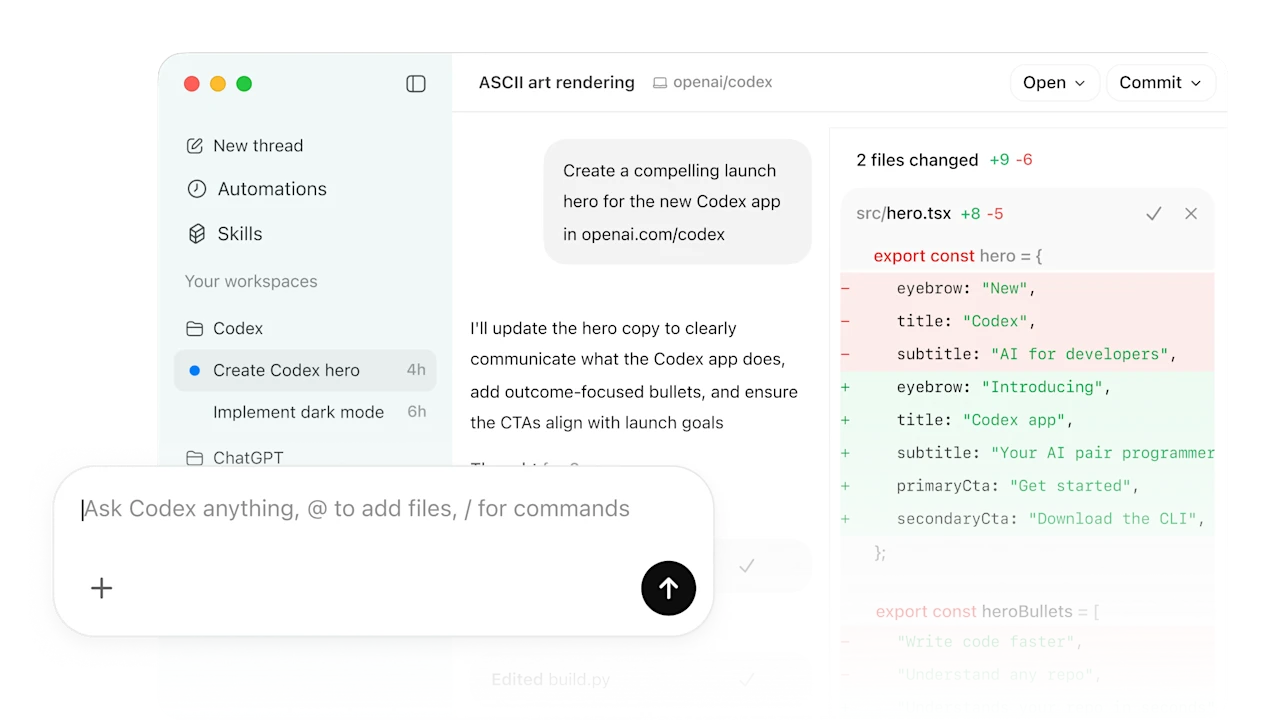
Caption: Codex gives you a file-aware workspace for coding tasks, reviews, and project changes.
Source: OpenAI Codex
When this works
This works well when you can describe the job in plain English and the project is reasonably small, like a website, a calculator, a booking form, or a simple internal tool.
When this does not help
If you do not yet know what you want built, stay in ChatGPT longer and plan it out first. Also, Codex plan availability changes over time, so check the current details in ChatGPT before paying for anything.
Bottom line
ChatGPT is the planning desk. Codex is the file worker. Use ChatGPT to figure out what you want, GitHub to store the files, and Codex to make controlled changes without losing track of the project.
Do not ask the file worker to read your mind. Make the plan boring enough that the build has a chance.
Ask AI this
"Help me turn my idea into a small first version I can build in Codex. Ask me the questions you need before you start."