How to Build a Simple Blog with Cloudflare and AI
How to Build a Simple Blog with Cloudflare and AI
A common version of this looks like a business owner hearing that AI can build a blog, getting excited, and then getting stuck on the real questions. Which tool builds it? Where do the files go? How does it end up on a real web address instead of sitting half-finished on a laptop?
That is usually the moment a fun idea turns into twelve browser tabs and one file named final-final-actually-final.
The solution
The easiest setup is three parts: GitHub for the files, one AI coding tool to build the site, and Cloudflare Pages to publish it.
Start by setting up GitHub. Then pick one AI tool that can work with project files:
- How to Set Up ChatGPT and Codex
- How to Set Up Claude and Claude Code
- How to Set Up Gemini and Firebase Studio
What to do
Create a GitHub repository for the blog. Ask your AI tool to build a simple blog in that folder. If it suggests Astro, that is fine. Astro is just a website tool that works well for blogs.
Then go to Workers & Pages in Cloudflare, choose Create application, pick Pages, and connect your GitHub repository. Cloudflare can deploy from both public and private repositories, then rebuild the site when you push changes. Your first deploy ends with a temporary pages.dev address so you can test the site before using your real domain.
Next, connect your domain. You do not have to buy it from Cloudflare, but that is usually the easiest route. If you want the main domain, like yourbusiness.ca, the domain needs to be on the same Cloudflare account as the Pages project. If you only want something like blog.yourbusiness.ca, you can usually point a CNAME record at your pages.dev address instead.
Last, add a short brand-rules.md file to the repository so the AI knows your tone, audience, and what the blog should sound like.

Caption: Your GitHub repository is the project folder your AI tool and Cloudflare work from.
Source: GitHub Docs
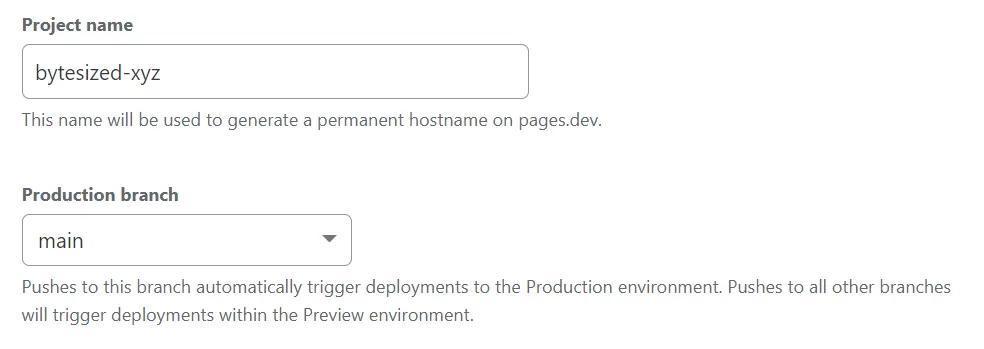
Caption: Cloudflare Pages connects to your GitHub repository and asks for the build settings for the site.
Source: Cloudflare Pages Docs
When this works
This works well for a simple business blog, brochure-style website, or basic content site that mostly needs pages and posts.
When this does not help
If you need customer logins, payments, or heavy custom features, this is only the starting point.
Bottom line
For a normal small-business blog, the shortest path is GitHub for the files, one AI coding tool for the build, and Cloudflare Pages for publishing.
It is not the flashiest setup. That is part of the charm. Flashy is how small projects grow extra buttons before they have a homepage.
Ask AI this
"I want a simple business blog for Ontario customers. Give me a site plan, page list, and content structure I can hand to an AI coding tool."