How to Set Up Gemini and Firebase Studio
How to Set Up Gemini and Firebase Studio
A common version of this looks like someone hearing that Google can build apps with AI, opening Gemini, asking for a website, and then getting a nice answer but no actual project. That happens because Gemini and Firebase Studio do two different jobs.
Nothing is broken. You are just in the wrong room of the Google house.
Gemini is the thinking and planning side. Firebase Studio is the building workspace.
The solution
Start with Gemini at gemini.google.com. Sign in with your Google account and use it to plan the project before you build anything. Ask what pages you need, what the first version should include, what users should be able to do, and what can wait until later.
This matters more than people think. A lot of "AI build" problems are really planning problems.
If your business already uses Google Workspace, check whether Gemini features are already included before you pay for anything extra.
Then move to Firebase Studio at studio.firebase.google.com. The nice part here is that it runs in your browser. You do not need to install a local coding tool just to get started.
For most beginners, there are two easy ways in:
- start with a plain-English prompt and let Firebase Studio prototype the app
- import an existing project from GitHub if you already have one
If GitHub is part of your plan, read How to Set Up GitHub first. Firebase Studio can import projects from GitHub and export work back to GitHub too, which makes the project easier to keep organized.
Once you are inside Firebase Studio, start small. Ask for a simple home page, a booking form, or a basic internal tool. Do not begin with your full dream app. The first version should be boring and usable, not giant and messy.
One practical warning: publishing may walk you through Firebase hosting setup and billing the first time. That is normal. Read the prompts carefully before clicking through.
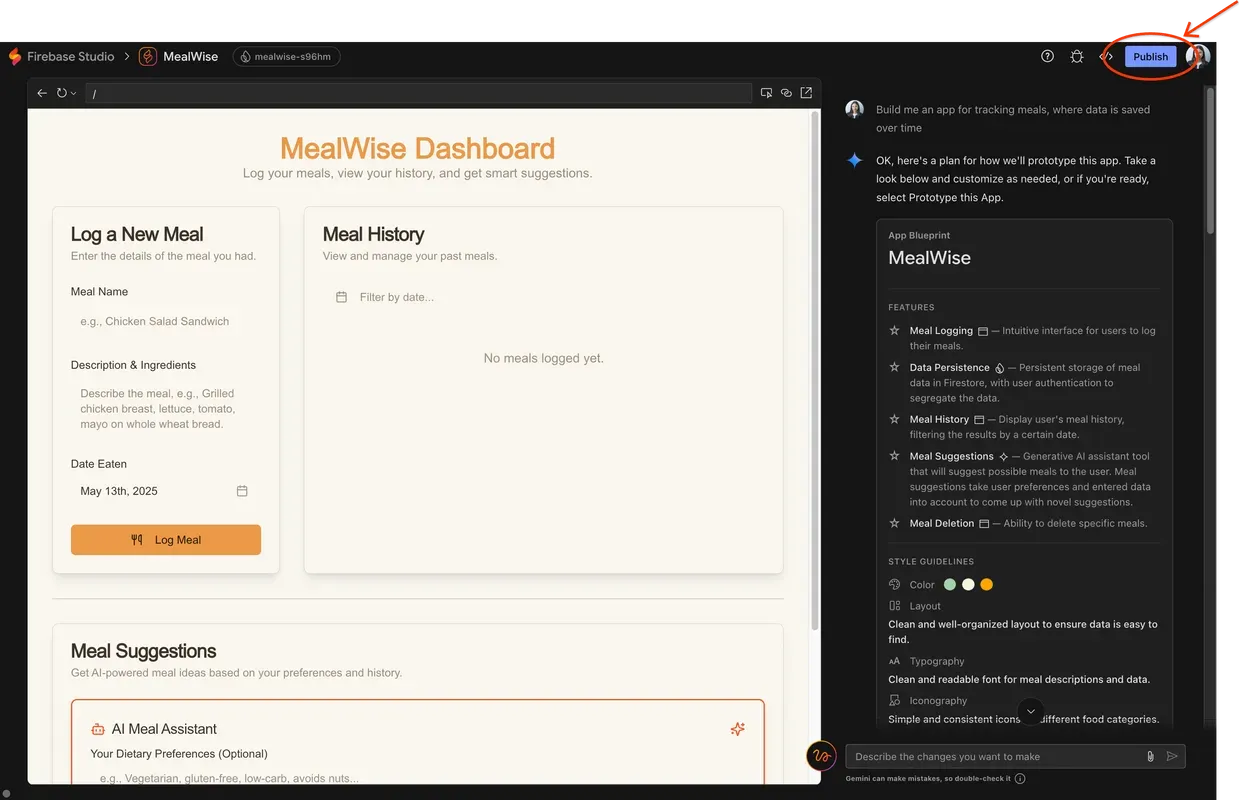
Caption: Firebase Studio runs in your browser and can guide you through building and publishing an app.
Source: Firebase Blog - More ways to deploy with Firebase App Hosting
When this works
This works well when you want a browser-based way to plan, prototype, and publish a straightforward app without setting up a full local coding environment first.
When this does not help
If the project is large, messy, or already has a lot of moving parts, you may outgrow the beginner-friendly path quickly. It is still a good place to make the first version.
Bottom line
Gemini helps you think through the job. Firebase Studio helps you build it. Use Gemini to get clear, Firebase Studio to make the first version, and GitHub to keep the project from turning into a pile of mystery files.
If the first version feels boring, that is usually a good sign. Boring is where working software likes to start.
Ask AI this
"Help me define the smallest useful version of this app so I can build it in Firebase Studio without overcomplicating it."