How to Set Up Obsidian Notes
If you have ever saved a note in one app, a reminder in another, and a to-do list in a third, you already know the problem. Your information is everywhere and nowhere at the same time.
That is how a normal Tuesday turns into a scavenger hunt hosted by your past self.
Obsidian fixes that by doing something surprisingly simple. It stores everything as plain text files in a regular folder on your computer. No special database, no cloud account required, no subscription to get started.
Like the previous article in this series, I am naming a specific tool here. Obsidian is free, works offline, and stores files in a way that makes it easy to pair with other tools later.
What it actually is
Obsidian is a free note-taking app. When you open it, you point it at a folder on your computer. Obsidian calls this folder a "vault," but it is just a normal folder with normal files inside.
Every note you create is a simple text file that uses a format called Markdown. That is the same format used by most websites and documentation tools. You do not need to learn Markdown to start, though. Just type like you normally would.
The big advantage is that your notes are never locked inside Obsidian. They are regular files. You can open them in any text editor, move them to another computer, or back them up however you like.
How to get it
- Go to obsidian.md and download the app. It is free for personal use.
- Install it and open it.
- Choose "Create new vault." Pick a name and a location on your computer.
- Start writing. Click the new note button and type.
That is it. You now have a folder on your computer where every note is a plain file you own.
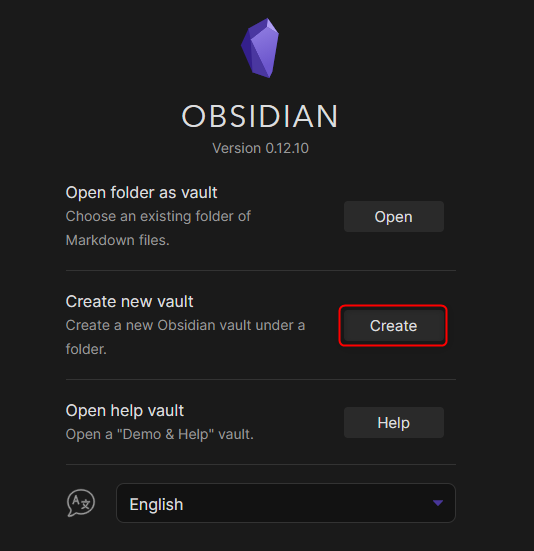
The first Obsidian screen where you can create a new vault or open an existing folder.
Source: Linux: create new vault?, Obsidian Forum
The one thing worth learning early
Obsidian lets you link notes together. If you type [[ and start typing a note title, it creates a clickable link to that note. Over time, this turns a pile of separate notes into a connected web of information.
You do not need to do this on day one. But once you have twenty or thirty notes, linking them together is what makes Obsidian feel more like a personal reference system and less like a pile of sticky notes.
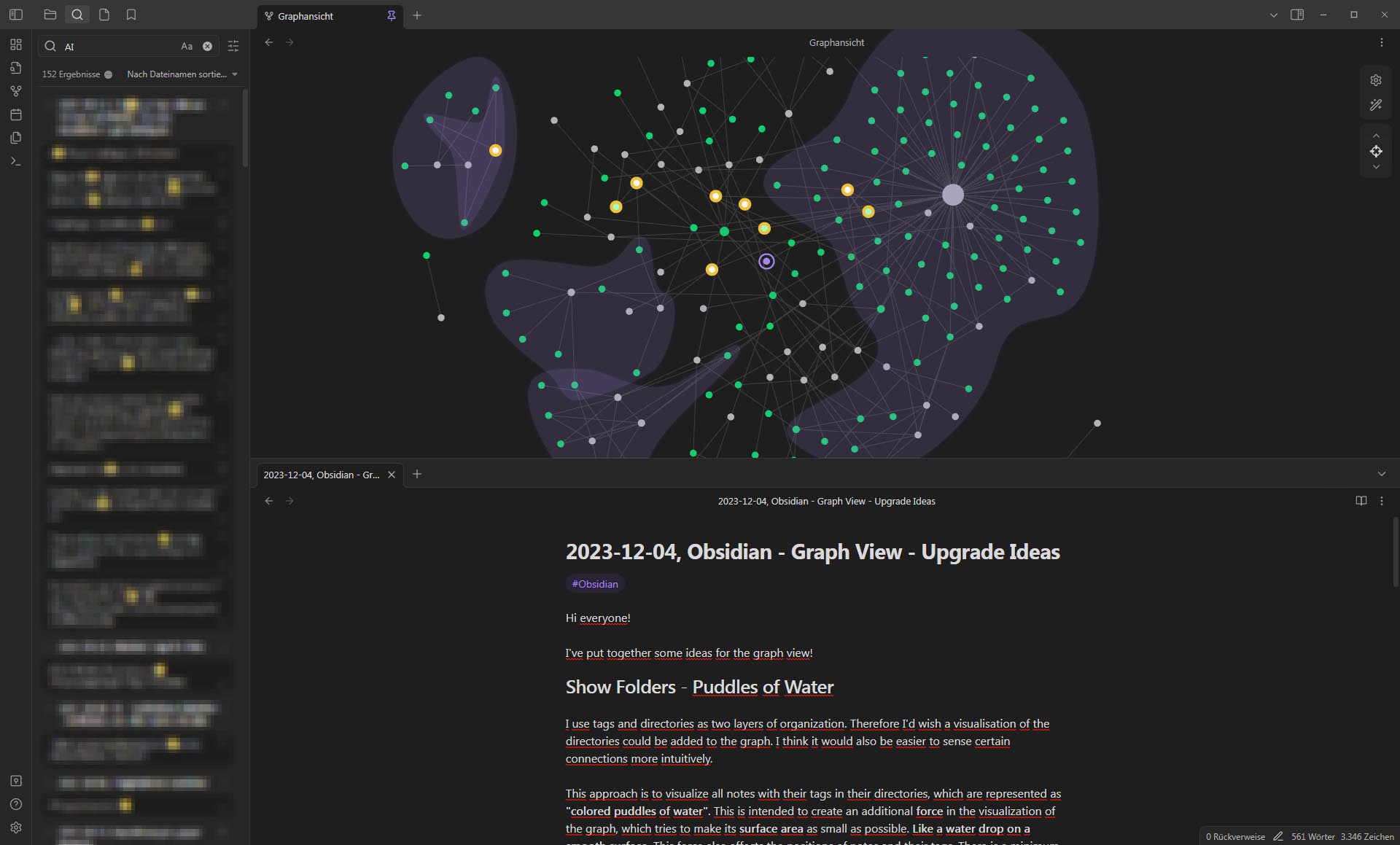
Once your notes start linking together, Obsidian's graph view can show the relationships between them.
Source: Graph View - Upgrade Ideas, Obsidian Forum
Where to put the vault folder
Anywhere you like. Your Desktop, your Documents folder, or a cloud storage folder like OneDrive or Google Drive. If you put it in cloud storage, your notes get backed up automatically and sync between computers.
This matters later if you want to pair Obsidian with other tools. The vault is just a folder, so anything that can read files in a folder can work with it.
Bottom line
Obsidian is a free, no-account-needed way to keep all your notes in one place as files you actually own. The setup takes about two minutes, and the files go wherever you want them.
That sounds boring until the day you actually find the note you were looking for. Then it feels like a small miracle with folders.
Ask AI this
"I want to start keeping all my work notes in one place using Obsidian. Can you suggest a simple folder structure for a small business owner who tracks client notes, meeting notes, and ideas?"